Why software onboarding succeeds (or quietly fails) on infrastructure projects
A practical guide to software onboarding on infrastructure projects: who should sponsor it, who should own it day to day and what a realistic first eight weeks looks like.
Words by Chris Mackintosh, Senior Customer Partner
30 September 2026

I've sat in a lot of software kickoffs. Some in draughty site cabins, some in glass walled meeting rooms, plenty on video calls with a dozen cameras switched off.
The ones that go well rarely have the flashiest tech or the biggest budget. They usually get three unglamorous things right. There's someone senior who genuinely backs the change. There's someone who owns it day to day. And everyone shares an honest picture of what 'good' looks like a couple of months in.
That sounds obvious written down. In practice, it's where most onboarding either takes off or stalls. So I wanted to share what I've learned from helping infrastructure teams get new software properly embedded, rather than just switched on.
Why new software fails on infrastructure projects
Take a typical electricity transmission project. You've got existing overhead line models, GIS layers from several internal teams, and CAD designs coming in from a mix of contractors and consultants. Each one has its own formats, folders and habits. The project team is already flat out trying to keep delivery on track.
Now drop a new platform into the middle of that. Even if it's exactly what the team needs, it's still a big ask. People have to learn something new, change how they share information and trust that the data in front of them is current.
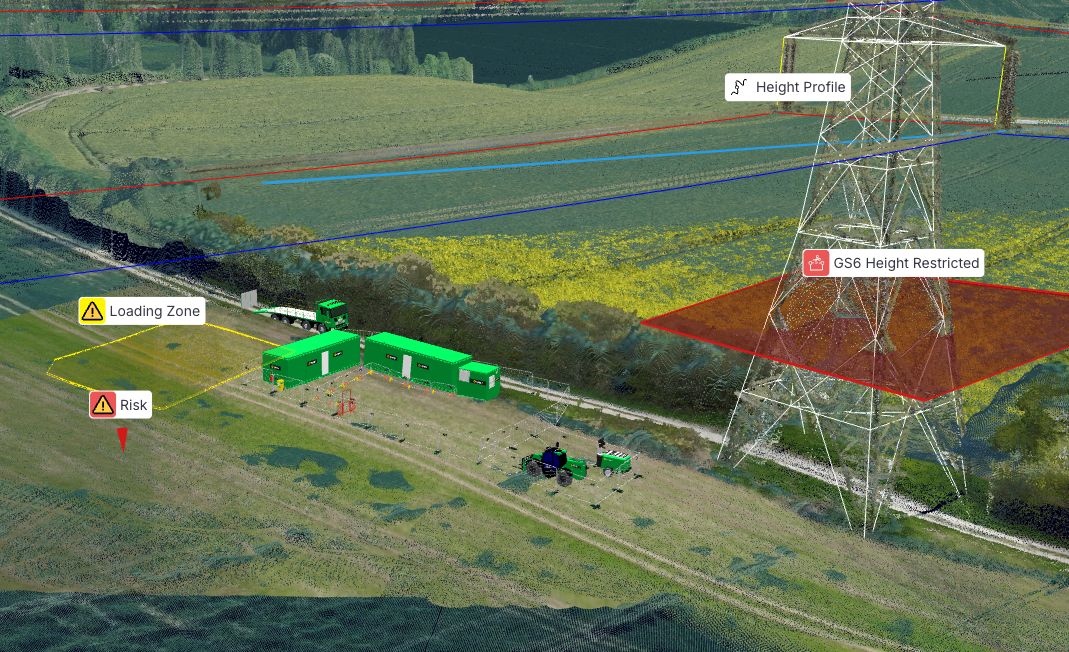
If the rollout isn't set up properly, something very predictable happens. For a week or two, people give it a go. Then a deadline lands, the new tool feels slower than the old way, and everyone drifts back to the spreadsheets, email chains and PDFs they're familiar with. Nobody makes a decision to abandon it. It just stops being used.
That's rarely because people are stubborn. It's because nobody gave them a clear reason to stop doing things the old way, or the support to make the new way easier.
1. Set realistic onboarding goals with an eight-week plan
"Everyone using it by the end of month one" sounds brilliant in a steering meeting. It almost never happens, and when it doesn't, the whole thing starts to feel like a failure, even if real progress has been made.
The goals that work are ambitious but grounded in how projects actually run. On most of the rollouts I support, a realistic first eight weeks looks something like this:
- Week 0: Project start and kickoff. Agree the goals, the key people and how you'll communicate the rollout. If you can do this in person, do.
- Weeks 0 to 2: Build the digital environment. Map the project area, bring in existing asset models and connect the core data layers.
- Weeks 1 to 2: Identify core users and the specific use cases that matter most to them. This is where you find your champions, the hands on expert who manages the daily data and helps team members use the tool.
- Week 3: Go live with your champions so they're familiar and confident before anyone else joins.
- Weeks 4 to 5: Set up permissions properly, then run wider end-user training.
- Weeks 6 to 7: Core users start adding their own content, so the platform becomes theirs rather than yours.
- Around week 8: A proper one month review to look at what's actually changed.
That's still a stretch for a busy project team. But it's achievable, and every milestone you hit builds momentum instead of disappointment.
The other thing I'd say: agree what success means before you start. Is it time saved on design reviews? Fewer site visits? Faster sign-off with stakeholders? Pick a few measures that matter to the people doing the work, and write them down. It makes the review conversation so much easier later on.
2. Get visible buy-in from senior leadership
Every rollout needs a sponsor. That's usually a project director or someone on the senior leadership team. They don't need to be using the platform every day, but they do need to do a few things that nobody else can.
First, they need to say, out loud and in writing, "this is how we work now." Not "have a look at this new tool," but a clear expectation for internal teams and delivery partners alike.
Second, they're the escalation route. When a team pushes back, or a contractor says they don't have time to format their files properly, the sponsor is the person who settles it. Without that backing, adoption becomes optional. And optional tools don't get adopted.
Finally, they sign off the scope, the timeline and the success measures at the start, then come back to check progress at key milestones. That keeps the rollout tied to the things leadership actually cares about, like programme risk and return on investment, rather than it being seen as a side project.
3. Name a rollout owner and digital champions
Buy-in from the top only gets you so far. Someone has to own the rollout day to day, and it needs to be a named person, not 'the team'.
I think of it as two roles working together.
The driver is usually a senior or lead project manager. They're the main point of contact and the owner of how the tool fits into business as usual. They fill in the initial scope, chair the regular progress syncs, sort out internal approvals and, crucially, manage the supply chain. The most effective drivers I've worked with write data deliverables and CAD/GIS standards straight into contractor scopes of work. That one step saves a huge amount of friction later, because formatting design files properly becomes part of the job rather than a favour.
The champions are the hands-on power users. Often a project manager, a graduate PM or a BIM/GIS specialist. They audit where the data actually lives, look after admin rights and user invites, keep the folder structure tidy and do basic health checks on contractor files before they're uploaded. They're also the ones colleagues turn to when they get stuck.
And it’s crucial to be honest about how much time this takes. In the first eight weeks, a driver typically needs two to four hours a week. Champions can need up to a day a week, depending on how complex the project is. After go-live, that drops right down: monthly check-ins for the driver and an hour or two a week for champions.
If nobody has that time protected in their diary, it won't happen. It's that simple.
4. Treat onboarding as a partnership with your software provider
One of the most common misconceptions I come across is that onboarding is something the software provider 'does to' a project. You sign the contract, a login arrives, job done.
It doesn't work like that, and honestly, it shouldn't. Both sides bring things the other can't.

On our side, we build the project environment, bring in the base mapping and existing asset models, connect the right data layers, run the training and stick around to support. On the project side, only the team can unlock internal approvals, connect us to their design data, introduce us to the right people and tell us where the real pain points are.
When both sides know exactly who's doing what, things move surprisingly fast. When it's fuzzy, things stall in the gaps between. A file sits waiting for an approval nobody knew they owned. A training session gets booked before the data is ready. Small delays, but they add up and sap enthusiasm.
So my advice is simple: write the responsibilities down at kickoff, action by action, with a name against each one. It feels a bit formal at the time but it saves weeks.
5. Train your champions first, then let them lead
The instinct with a new tool is often to get everyone in a room (or on a call) for one big demo. It feels efficient. In my experience, it's the least effective way to change how people work.
What works far better is starting small. Train your champions first and properly, so they can confidently run sessions themselves. Then use short, hour-long peer sessions with small groups, ideally led by someone who does the same job as the people in the room.
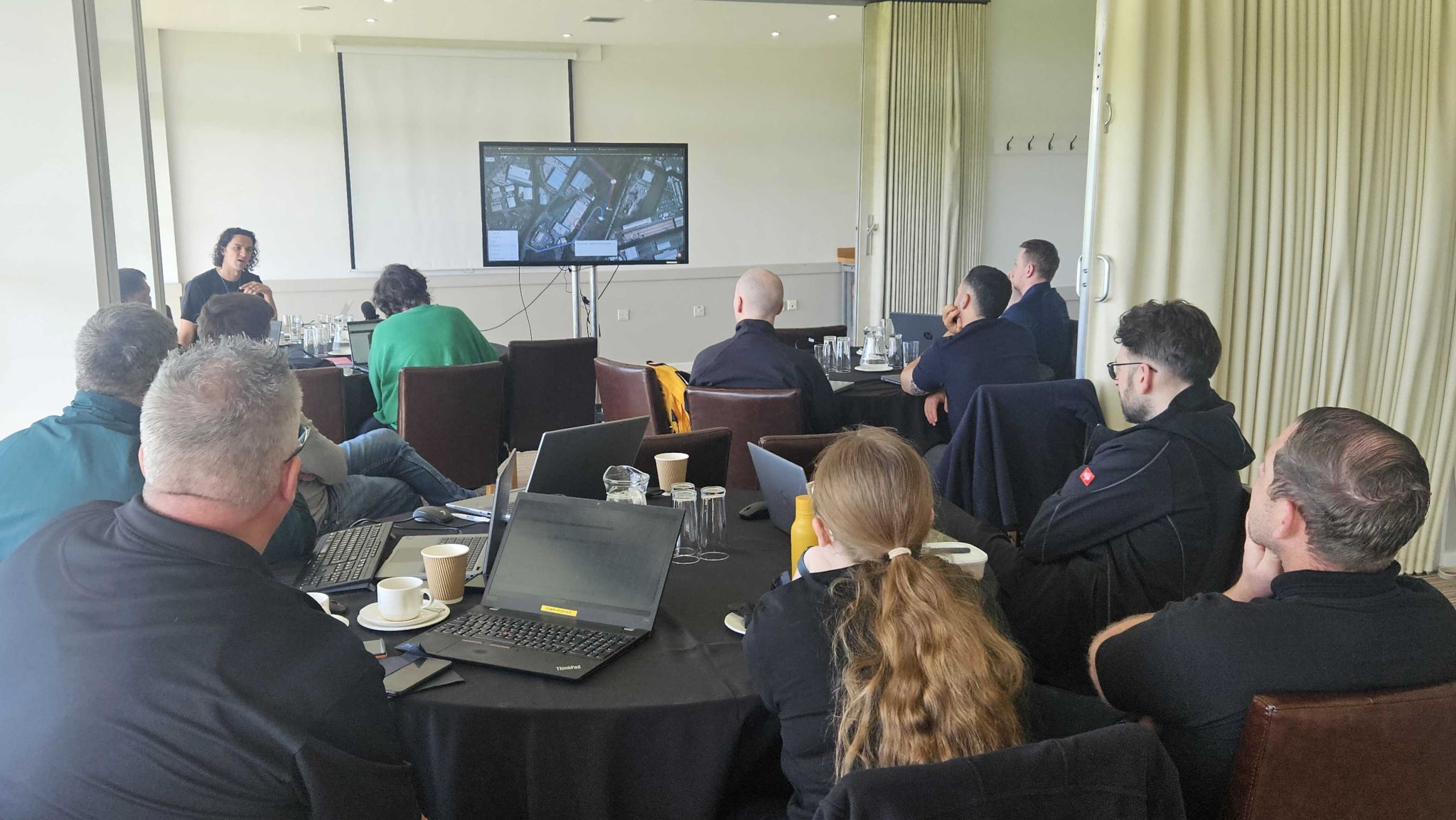
People trust a colleague who says "this is how I use it on our project" far more than they trust a slide deck from a vendor. It also means the training is shaped around real workflows rather than a list of features.
It's also worth running a few targeted discovery conversations early on. Sit down with key people and ask what they actually spend their time on and what frustrates them. You'll find the two or three use cases that will win people over, and you'll build the training around those instead of guessing.
6. Keep adoption going after go-live
Go-live isn't the finish line. If anything, it's the point where adoption is most fragile.
The projects that stick keep a steady rhythm. Short weekly or biweekly syncs through the first couple of months, then monthly check-ins once things settle. A proper review at the one month mark, looking at the success measures you agreed at the start and deciding what support is still needed.
And share the small wins. A design clash spotted from someone's desk rather than on site. A stakeholder meeting that took half the time because everyone was looking at the same view. A quick note in the project newsletter or a two minute slot in a weekly meeting does more for adoption than any amount of training.
Champions only need about fifteen minutes a fortnight to do this well. It's probably the best value time in the whole rollout.
Making new software stick on infrastructure projects
None of this is rocket science. But in my experience, skipping any one of these is usually where onboarding quietly goes wrong.
The good news is that when the foundations are in place, the technology tends to take care of itself. Teams stop thinking of it as 'the new tool' and start thinking of it as just how the project runs. That's when the real value starts to show.

Chris Mackintosh is Senior Customer Partner at Sensat. He works with infrastructure organisations to drive platform adoption and deliver measurable value across major projects. He specialises in building trusted customer relationships and translating on-the-ground challenges into practical solutions.